

The biggest SaaS UX mistakes in 2026 include complicated onboarding flows, cluttered dashboards, weak mobile experiences, poor UX writing, slow performance, investor-focused product decisions, and lack of user feedback systems. These issues reduce SaaS retention, hurt onboarding conversions, and create product friction that pushes users toward simpler alternatives.
7 UX Mistakes SaaS Startups Still Make in 2026
A lot of SaaS founders think UX problems come later.
After funding.
After scale.
After “more users.”
That mindset still destroys products in 2026.
I’ve seen beautifully engineered SaaS platforms lose users in under 10 minutes because the onboarding was confusing. I’ve seen startups spend six months building AI features nobody asked for while basic workflows were still frustrating. I’ve also seen tiny bootstrapped products outperform heavily funded competitors simply because the experience felt easier.
That’s the thing people still underestimate about SaaS UX.
Users don’t compare you only to your competitors anymore. They compare you to every polished digital experience they use daily. Notion. Linear. Stripe. Slack. Figma. Even TikTok’s recommendation engine affects user expectations now.
People expect software to feel intuitive immediately.
And honestly, a lot of startups still don’t get that.
The UX design trends 2026 brought into SaaS are less about flashy interfaces and more about clarity, speed, emotional usability, and reducing friction everywhere possible.
Yet the same UX mistakes keep showing up over and over again.
Let’s talk about the ones hurting SaaS retention the most right now.
1. Complicated Onboarding Flows
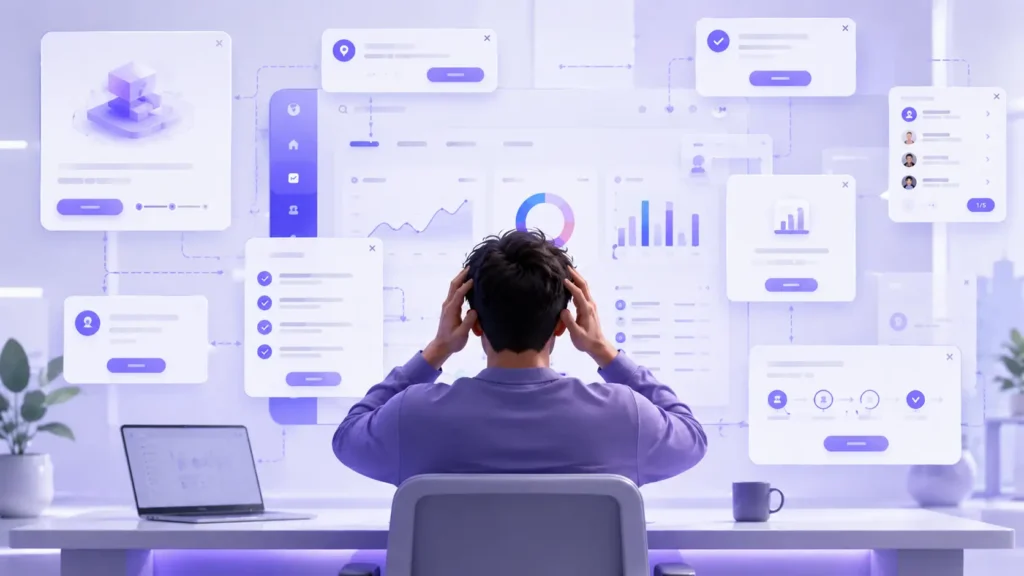
The average SaaS startup still explains too much too early.
This is probably the most common SaaS UX mistake I keep seeing.
A user signs up and immediately gets hit with:
- 11-step product tours
- setup checklists
- modal after modal
- permission requests
- AI assistant popups
- “book a demo” banners
- feature announcements
It becomes exhausting before the product even delivers value.
Most startups do this because they’re terrified users will “miss features.” So they over-explain everything.
Ironically, that usually makes users leave faster.
What this looks like in real SaaS products
You sign up for a project management tool and before creating a single task, the product asks you to:
- invite teammates
- connect Slack
- configure workflows
- choose templates
- customize dashboard views
- set automations
That’s not onboarding anymore. That’s unpaid implementation consulting.
Good SaaS onboarding should help users reach one meaningful outcome quickly.
Not learn the entire ecosystem upfront.
Why it hurts retention
According to multiple onboarding studies published over the last few years, most SaaS churn happens in the first 7 days.
And honestly, it makes sense.
If users feel confused early, they assume the product will continue being difficult later.
The first interaction creates emotional momentum.
Bad onboarding creates friction.
Good onboarding creates confidence.
Huge difference.
Practical fix
Reduce onboarding to one core success path.
Ask yourself:
“What is the fastest possible moment a user can experience value?”
That should become the onboarding focus.
A few SaaS companies doing this well:
- Linear keeps onboarding lightweight and contextual
- Notion lets users explore naturally instead of forcing tutorials
- Slack gradually introduces features over time
Progressive onboarding works better than information dumping.
My take
A lot of founders confuse “education” with “experience.”
Users don’t need a lecture.
They need momentum.
That’s it.
2. Too Many Features on One Screen
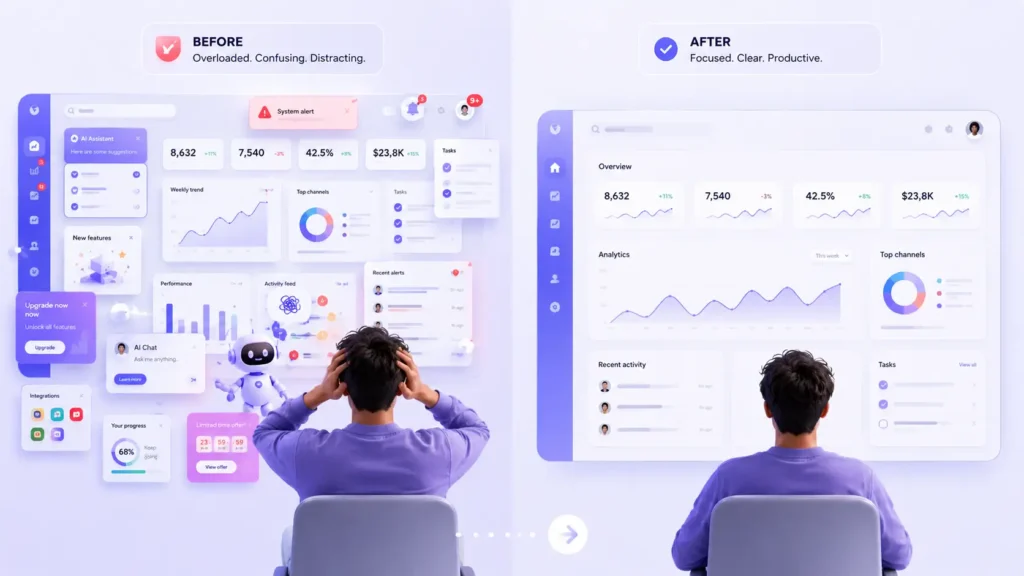
This one got worse after AI exploded into SaaS products.
Now every dashboard wants to be:
- AI workspace
- analytics center
- CRM
- collaboration hub
- assistant
- automation engine
All at once.
The result?
Visual chaos.
A cluttered interface instantly increases cognitive load. Users stop knowing where to focus.
And once users feel mentally tired, product usability drops hard.
Why startups keep doing this
Usually because product teams are afraid of hiding features.
Investors want feature growth.
Roadmaps keep expanding.
Marketing teams want more things visible.
So every release gets added directly onto existing screens.
Nobody removes anything.
That’s how dashboards slowly become airplane cockpits.
Real-world SaaS example
I worked with a B2B SaaS tool where the dashboard had:
- 4 sidebars
- 19 widgets
- 11 CTA buttons above the fold
- multiple floating AI assistants
Heatmaps showed users literally freezing on first interaction.
Not because the product lacked functionality.
Because it had too much visible functionality.
How this impacts conversions
Users rarely say:
“This product has too many features.”
They say:
“This feels complicated.”
Same problem. Different wording.
Complex-looking software increases abandonment during trials and lowers activation rates.
Especially for non-technical users.
Practical fix
Start prioritizing hierarchy instead of density.
Some useful approaches:
Use progressive disclosure
Show advanced features only when relevant.
Reduce simultaneous decisions
Every extra visible choice creates friction.
Design around primary workflows
Most users repeatedly use 20% of features.
Optimize those first.
Mini opinion
Minimal UX doesn’t mean empty design.
It means intentional design.
A lot of SaaS teams still think “more visible value” equals better UX.
Usually the opposite is true.
3. Weak Mobile Experience

Some SaaS founders still say things like:
“Our users mostly work on desktop.”
That’s becoming less true every year.
Even enterprise users now check dashboards, approvals, analytics, notifications, and team updates from mobile constantly.
And yet many SaaS mobile experiences still feel like compressed desktop apps.
Tiny buttons.
Broken tables.
Unreadable charts.
Slow navigation.
Not good enough anymore.
The 2026 expectation shift
Users now expect continuity between devices.
If they start a workflow on desktop, they expect smooth continuation on mobile later.
This became standard because products like:
pushed cross-device workflows heavily over the last few years.
Common startup mistake
Most startups design desktop-first, then “shrink” layouts afterward.
That’s not mobile UX design.
That’s responsive survival.
How it affects SaaS retention
Mobile frustration creates subtle disengagement.
Users stop checking updates.
Teams collaborate less.
Approvals get delayed.
Notifications become ignored.
Eventually daily active usage drops.
And SaaS retention follows.
Practical fix
Treat mobile as a core product environment, not a secondary layout.
A few practical changes help immediately:
- prioritize thumb-friendly navigation
- simplify mobile dashboards
- remove non-essential widgets
- improve loading states
- rethink charts for small screens
- use contextual actions instead of dense menus
My opinion
A lot of SaaS teams still design for ideal work environments.
Real users work from airports, meetings, taxis, cafes, beds, and chaotic offices.
Your UX has to survive real life.
4. Ignoring UX Writing and Microcopy

Tiny words shape huge experiences.
This is one of the most underestimated startup UX problems.
Bad microcopy creates hesitation everywhere:
- unclear buttons
- robotic error states
- confusing empty screens
- vague onboarding instructions
A surprising number of SaaS products still sound like backend systems pretending to be human.
Realistic SaaS example
Imagine uploading a CSV file and getting this message:
“Import failed due to validation issue.”
Cool. What does that actually mean?
Now compare it to:
“Your CSV is missing email addresses in 14 rows. Download the highlighted file to fix them.”
One creates stress.
The other creates clarity.
Why startups ignore this
Because UX writing often gets treated as “final polish.”
Engineers write placeholders.
Designers focus visuals.
Copy becomes an afterthought.
But users experience products through language constantly.
Microcopy is UX.
How it affects conversions
Confusing language increases:
- onboarding drop-offs
- failed task completion
- support tickets
- user anxiety
And anxious users rarely convert well.
Practical fix
Audit every moment where users might hesitate.
Especially:
- forms
- empty states
- onboarding instructions
- payment flows
- error messages
- permission requests
Great SaaS UX writing feels invisible because it reduces friction naturally.
Mini expert insight
Honestly, some SaaS products spend months refining animations while their core instructions still sound robotic.
That balance feels backwards.
5. Slow Dashboard Performance
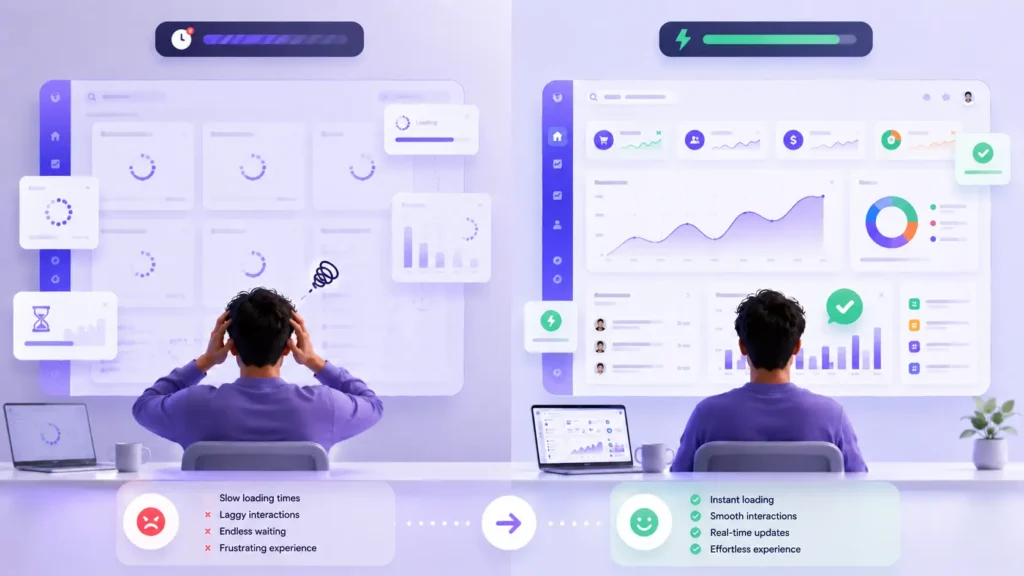
Users blame UX for performance problems.
Always.
They don’t separate engineering from experience.
If your dashboard feels slow, users perceive the entire product as poorly designed.
This got even more relevant in 2026 because SaaS products became heavier:
- AI integrations
- live analytics
- collaborative syncing
- automation engines
- embedded data visualizations
A lot of platforms became visually polished but technically sluggish.
Real-world scenario
A founder once told me:
“Our UI looks premium now.”
Meanwhile the dashboard took 8 seconds to fully load.
That destroys trust instantly.
Especially in B2B SaaS where speed directly affects workflow efficiency.
Why startups create this problem
Because visual complexity grows faster than frontend optimization.
Teams keep adding:
- animations
- data layers
- AI modules
- integrations
- widgets
without performance budgeting.
How this impacts retention
Users may tolerate slow loading once.
Not every day.
Slow SaaS experiences create:
- lower session frequency
- reduced engagement
- workflow interruptions
- frustration fatigue
Eventually users look for simpler alternatives.
Practical fixes
A few high-impact improvements:
Prioritize perceived speed
Skeleton loaders help more than blank screens.
Reduce unnecessary dashboard rendering
Not every widget needs live updates.
Optimize for interaction speed
Buttons and navigation should feel instant.
Audit third-party scripts
Some SaaS dashboards are basically running mini operating systems now.
My opinion
Fast products feel smarter.
Even when feature sets are smaller.
That psychological effect matters more than founders realize.
6. Designing for Investors Instead of Users

This one is painfully common after fundraising rounds.
Suddenly the product becomes presentation-driven instead of user-driven.
Founders start optimizing for:
- flashy demos
- AI buzzwords
- feature quantity
- investor excitement
Meanwhile actual users just want smoother workflows.
What this looks like
A SaaS startup adds an AI assistant nobody requested because competitors launched one.
But core search still sucks.
Notifications are broken.
Mobile UX is weak.
Users notice that imbalance immediately.
Why this happens
Because investor meetings reward vision.
Users reward usability.
Those are not always aligned.
How it hurts SaaS growth
Founders often think churn happens because users “don’t understand the product.”
Sometimes users understand it perfectly.
They just don’t enjoy using it.
Big difference.
Practical fix
Prioritize boring UX improvements more often.
Seriously.
Some of the highest-impact SaaS improvements are incredibly unsexy:
- faster search
- clearer tables
- smoother onboarding
- cleaner navigation
- better permissions UX
Users remember friction reduction more than futuristic demos.
Mini expert insight
Some founders chase “wow moments.”
Great SaaS UX usually wins through accumulated small moments of relief.
That’s what keeps retention high.
7. No Proper User Feedback Loop
This is the mistake that quietly causes all the others.
A shocking number of startups still design based on assumptions instead of behavioral insight.
Teams spend months debating UX decisions internally without watching actual users interact with the product.
That’s dangerous.
Common startup situation
The team assumes onboarding is clear because they built it themselves.
Meanwhile new users get stuck on step two repeatedly.
Without feedback loops, those problems remain invisible for months.
Why startups avoid feedback systems
Usually because:
- teams move too fast
- analytics are fragmented
- research feels “expensive”
- founders assume support tickets reveal everything
Support tickets only show vocal pain.
Silent frustration is far more common.
What modern SaaS teams are doing in 2026
The best SaaS companies now combine:
- session recordings
- lightweight surveys
- onboarding analytics
- AI-assisted user behavior analysis
- live usability testing
- churn interviews
UX decisions are becoming more evidence-based again.
Which honestly is a good shift.
Practical fix
You don’t need massive UX research budgets.
Start simple:
- watch 5 onboarding sessions weekly
- interview churned users monthly
- track feature abandonment
- monitor rage clicks and dead clicks
- ask users where they felt confused
Small feedback habits compound fast.
My opinion
Founders sometimes overtrust their own product familiarity.
But once you know your interface too well, you stop seeing friction clearly.
That’s normal.
Real users expose reality fast.
Final Thoughts
Most SaaS UX problems are not caused by bad designers.
They’re caused by product pressure.
Pressure to scale faster.
Ship faster.
Add AI faster.
Impress investors faster.
That pressure creates bloated experiences.
But users still reward the same fundamentals they always did:
- clarity
- speed
- simplicity
- confidence
- usability
The SaaS companies growing strongest in 2026 are not necessarily the ones with the most features.
They’re the ones reducing friction consistently.
Good UX still compounds quietly.
And bad UX still kills retention quietly.
That part hasn’t changed at all.
